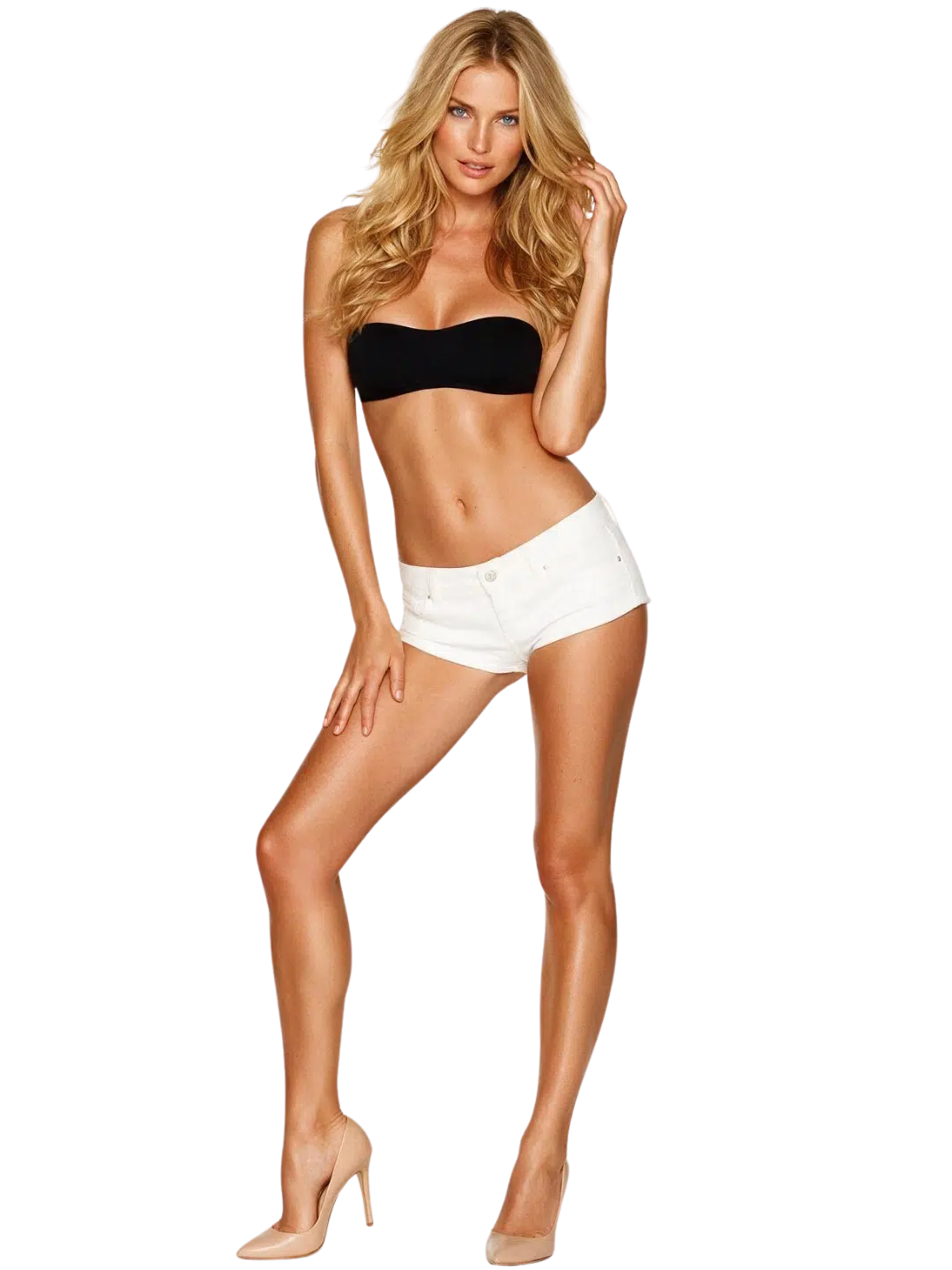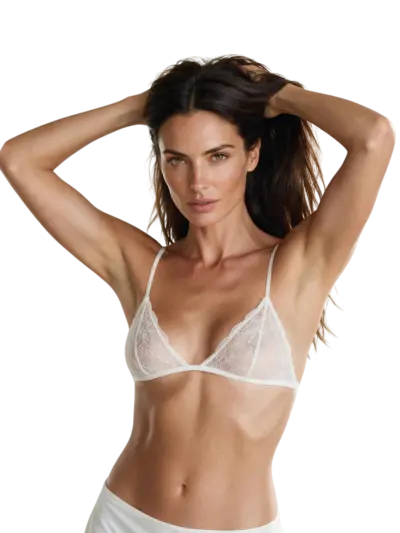
A text prompt goes in. An image of a woman comes out. That’s the surface of it. What happens in between, what the image costs, and where the whole category runs into walls — that’s what this page is here to explain. AI woman generators use diffusion models to turn text descriptions into synthetic images. They do not photograph real people, consult stock libraries, or draw by hand — every pixel is inferred from learned patterns. What they can’t do: guarantee anatomical accuracy, maintain a character across sessions, or reproduce a specific real person.
Top AI Woman generator Apps

She doesn't need a manual. Start talking and she'll figure out exactly what you like — your mood, your energy, your type. She adapts to you, not the other way around.


How the Model Turns Text Into a Woman’s Image
The output of an AI woman generator starts with noise — a grid of random values — and a text description of what should be there. The diffusion model runs guided denoising, shaping that noise toward something that matches the prompt. It doesn’t draw from memory or look anything up. Every pixel is inferred from patterns absorbed during training on millions of images.
What the Prompt Actually Controls
The text description drives output along several axes at once: composition (how close, what angle), apparent setting (studio white, outdoor, soft light), style (photorealistic, painted, animated), and the visible characteristics of the subject. A prompt that is specific on all of these gets more consistent results than a vague one. “A woman in her 30s, close-up portrait, soft window light, neutral background” gives the model more to constrain than “a beautiful woman.”
What it is: a statistical inference, not a lookup. The model has no record of any individual; it is assembling something that fits the description in a way that resembles the distribution of its training data.
This is why two nearly identical prompts can produce noticeably different images, and why the model has no stable internal “version” of the character it made last time.
Style as a Parameter
Style in AI woman generators functions as a dimension separate from subject content. Photorealistic, anime, oil-paint, and ink-sketch outputs come from the same base prompt, adjusted. The model has absorbed stylistic conventions from each category and can apply them on instruction. A portrait prompt without a style specification will default toward whatever style was most represented in the training set — usually a photorealistic look. Naming the style explicitly narrows the range.
What Training Data Means for Output Range
The range of styles an AI woman generator can produce reflects what it was trained on. A model trained primarily on photography will handle photorealistic portraits well and anime character sheets poorly. A model trained on a broad mix handles both but may not excel at either. Specialist models exist for photorealism, for anime, for painted portraiture. General-purpose AI tools cover more ground with slightly less polish at either end. The choice between them is a practical one: what output type do you need most reliably?
Choose your perfect AI Woman

She's independent, strong, and not here to play games. If you are not afraid of confi… She's independent, strong, and not here to play games. If you are not afraid of confident and passionate women, you’ll get an A from her.

Chinatsu is a calm and charismatic barista who works at a cozy café tucked away in a … Chinatsu is a calm and charismatic barista who works at a cozy café tucked away in a quiet corner of the city. Known for her expert coffee brewing skills and warm smile.

You can notice some vulnerability under her dark aesthetic. This girl is shy and inte… You can notice some vulnerability under her dark aesthetic. This girl is shy and intelligent, and she wants you to be her lifetime companion in everything, including her passion for dark manga.

Sydney will shush you sternly and give you a controlling stare. She is firm, assertiv… Sydney will shush you sternly and give you a controlling stare. She is firm, assertive, and wants to dominate.


Where AI Woman Images Are Used
The generator produces images. What users do with those images varies considerably, and the use case shapes how to prompt and what to expect.
Portrait and Avatar Generation
Generating a synthetic portrait via an AI woman generator — for a profile picture, an avatar, or a design placeholder — is one of the most common non-adult uses of this category. The prompt requirements are specific: consistent apparent age, expression that reads well at small sizes, neutral or controlled background, and lighting that produces clear facial detail. The limitation here is consistency across multiple sessions. If the avatar will need to be updated or regenerated, the visual identity has to be built into a detailed, stable prompt — there’s no account-level character memory to fall back on.
Concept Art and Character Design
Illustrators, game designers, and fashion designers use AI woman generators as a starting point for character concept work. The generator produces reference material — a visual starting direction, an exploration of how a character might look in a particular style or setting. At this use, the imperfections of the technology are less of a problem: a concept image that’s mostly right and slightly wrong in the hands gives a human artist a reference point, not a finished asset. The speed of iteration is what matters here.
Commercial Purposes and Royalty
Whether AI-generated images can be used for commercial purposes depends on the platform’s terms of service, not on the image content itself. Some platforms explicitly grant commercial licensing for outputs; others retain rights or restrict use. Royalty-free use, commercial licensing, and editorial-only use are all different categories in most platform agreements.
Check the terms before assuming a generated image is available for commercial purposes. This is a platform-level question, and the answer differs between services in this category.
A Sensible Way to Start
Skip the preset images and write a prompt first. The fastest way to understand what an AI woman generator can and can’t do is to run the same core description through several style variations — photorealistic portrait, anime character design, fashion-editorial — and compare the results. Presets hide what the model is actually doing. A written prompt exposes it. The goal in the first session isn’t a finished image. It’s learning what the model responds to. That takes a handful of short experiments, not a long session.
What to Write in a First Prompt
Three things cover most of what an AI woman generator needs from a first prompt:
- Subject and apparent age: “a woman in her 30s” or “an older woman, grey-streaked hair”
- Framing and light: “close-up, soft studio light” or “full body, outdoor midday”
- Style: “photorealistic” or “anime” or “painted portrait”
Add detail about hair, clothing, expression, and setting once the base results look right. The refinement loop — run, adjust one element, run again — is faster than trying to write one perfect prompt.
What Great Prompts Include
Specificity at the level the model can act on. “Long dark hair” is actionable. “Interesting hair” is not. “Wearing a structured blazer, standing, slight smile” is actionable. “Looking professional” is not.
Great prompts describe what the camera would see, not the impression the image should give.
The gap between an experienced user’s output and a new user’s first attempt is almost entirely a prompt-writing gap, not a generator capability gap.
What an AI Woman Generator Actually Costs
The economics of this category have a structure that isn’t obvious from the headline price.
The Two-Layer Cost
Every platform in this space runs on two cost layers: a subscription and a media currency. The subscription unlocks access and, on some platforms, a monthly allowance of tokens, coins, or credits. The media currency is what image generation actually draws from. These are not the same pool, and running out of currency mid-month means either buying more or waiting.
What it is: a subscription covers the door; the currency covers the work.
As of September 2026, paid plans in this category run $14–20 per month billed monthly, or $4–10 per month on annual plans billed upfront ($48–120 per year).
What Image Generation Costs in Currency
Media is metered everywhere in this category. The cost per image varies by the platform’s unit system and the quality setting selected — generating at a higher resolution or with more processing steps draws more units than a quick draft. Across the category, an image costs from a couple of units to around 50, depending on the system. Monthly allowances are modest relative to what a daily user will want to spend. Running through a monthly allowance of tokens in a week is common for anyone using AI woman generators regularly.
Realistic Monthly Spend by Usage Pattern
| Usage pattern | Approximate monthly cost |
|---|---|
| Chat-only or light image use | Under $10/mo on an annual plan |
| Regular image generation (daily) | $15–25/mo |
| Daily voice or video in addition | $25–60/mo |
| Heavy daily video | Above $60/mo possible |
These ranges assume top-up purchases. A user who generates images daily and doesn’t top up will either hit the allowance ceiling or restrict themselves to the subscription’s included currency.
Free Tiers: What They Actually Give You
Free access in this category ranges from a real daily allowance — tens of messages and a handful of images — to a short demo that ends within minutes. No free AI tier gives full media access. The distinction matters when evaluating a platform: “free” in some cases means a few images before a paywall; in others, it means dozens per day at no cost. For most people, a free tier is useful for two things: testing whether the style output matches what you want, and evaluating the platform’s interface before paying. It is not designed to support ongoing regular use.
Annual Plans: The Math That Actually Matters
The difference between a monthly plan and an annual plan in this category is substantial. Monthly billing at $14–20 per month; annual billing brings that to $4–10 per month billed as a lump sum ($48–120 upfront). The annual saving is genuine — typically 50–70% off the monthly rate. The catch is commitment. An annual plan billed upfront has limited refund options in most cases. If the generator doesn’t suit the use case after a week, exit costs on an annual plan are higher than on a monthly one.
The practical approach: use the free tier to evaluate, pay monthly for the first month, then switch to annual if the usage holds up. The month of monthly billing costs more than the per-month annual rate, but it functions as a proper trial period.
Crypto payment, where available, is typically non-refundable. That’s a hard limit, not a policy detail.
The First Week and the First Month
The first week with an AI woman generator is almost always more expensive than the weeks that follow, for one reason: the prompt-writing curve.
Week One: High Output, Exploratory
New users run many generations quickly, testing what the AI woman generator does with different descriptions. Each run uses currency. The exploratory phase depletes allowances faster than the settled usage pattern that follows.
A practical approach: set a hard limit on how many images you’ll generate in the first three days. It slows the learning curve down but keeps the currency budget intact for the second week, when the prompts are better and the output is more useful.
What Changes After a Month
After a month of regular use with an AI woman generator, most users have developed:
- A small set of prompt structures that reliably produce the output they want
- A sense of which style settings work for their use case
- A realistic view of where the model fails — hands, complex poses, text in frame
The month-one failure rate on complex prompts is higher than month-two. This is a learning artifact, not a generator deficiency. The output quality stays constant; the user’s ability to prompt for what they want improves.
Session Memory Doesn’t Exist Here
AI image generators do not remember anything between sessions. A character generated on Tuesday is not available to the model on Wednesday. If consistency across sessions matters — a recurring character for a project, the same face across multiple images — that requires either saving the seed value (where the platform supports it) or including a detailed enough description in every prompt that the outputs converge.
This is one of the most common misunderstandings about AI woman generators. They are generation tools, not character management systems. Some platforms are adding features that approximate character consistency — reference image inputs, style locking, or model fine-tuning on a specific appearance. These features vary in quality and availability. Where they exist, they cost additional currency or require a higher plan tier. They reduce the inconsistency problem; they don’t eliminate it.
What the Generator Does Well
The AI woman generator category has genuine strengths worth being direct about:
- Speed. A usable image takes seconds to generate, not hours of photography or days of illustration.
- Iteration cost. Running a variation costs currency, not photographer time or illustration hours. Exploring options is cheap relative to traditional image production.
- Style range. Photorealistic portrait, anime character, painted illustration, fashion-editorial — the same prompt framework produces across all of them.
- No location or equipment dependencies. The output comes from a text description, not a studio setup.
These are practical advantages for specific use cases, not marketing claims. They don’t erase the limitations. They just explain why the category has a real user base.
How Images, Voice, and Video Are Metered
Image generation is the core of AI woman generators; voice and video extend the category into companion and interactive-media territory.
Image Generation
Still images are the cheapest form of media to generate and the most widely supported. The cost-per-image in currency units is lower than voice or video on every platform that offers all three. Resolution and processing depth affect cost. A fast draft at lower resolution costs less than a high-resolution output with additional refinement steps. For prompt testing, generating at lower quality first saves currency; the high-quality version runs once the prompt is working.
Voice and Video
Where platforms offer voice generation — a spoken response or narration from the character — it is metered separately from images and costs more per unit of time. A rough category figure: voice clips cost several times more in currency than a single image, and a few minutes of voice can deplete a monthly allowance significantly. Video clips, where available, are the most expensive media type in the category. A short video clip — a few seconds to under two minutes — can cost tens to hundreds of currency units. The economics of daily video use are meaningfully different from daily image use; the monthly cost range shifts upward significantly.
The media hierarchy: images → voice → video, in ascending cost per generation.
Why Metering Exists
Inference compute — the processing required to generate an image, voice clip, or video — is the largest cost input for platforms in this category. Metering transfers a portion of that cost to the user proportionally to how much they generate. A user who generates one image a day costs the platform far less than one who generates fifty. Currency systems are a mechanism for that allocation.
This is worth understanding before choosing a plan: a subscription allowance that looks generous can run thin for a daily-generation user. The realistic monthly cost is usually higher than the headline subscription price.
What an AI Woman Generator Doesn’t Do
The AI woman generator category produces images. That’s what it does. The things it doesn’t do are worth being direct about.
Limitations by Design
- It doesn’t remember. No generation carries information forward to the next. A session is stateless. Any character “consistency” across sessions is a product of the user’s prompt discipline, not the model’s memory.
- It doesn’t guarantee anatomy. Hands, fingers, feet, and complex multi-person compositions are the known weak spots of current diffusion models. Generating a detailed hand or a specific number of fingers correctly is harder than generating a face. This is a known model limitation, not a platform configuration choice.
- It doesn’t render text accurately. Asking for a character holding a sign with legible text on it will usually produce garbled output. Text-in-image remains one of the harder tasks for diffusion models.
- It can’t reproduce a specific real person. The model doesn’t have a record of any individual. Prompts describing a real person’s appearance may produce something that superficially resembles them through coincidence; they cannot produce a reliable likeness by design.
What “High Resolution” Means in Practice
High-resolution output from an AI woman generator means more pixels, not more fidelity to your intent. A high-resolution image of an incorrect prompt is a large incorrect image. Resolution is a rendering quality setting; it doesn’t fix prompt or model errors.
What “Uncensored” Means in Practice
Platforms in this category vary significantly in what content filters they apply. “Uncensored” as a marketing term for AI woman generators is imprecise: most platforms apply some filtering, and what is allowed on one may be refused on another. Non-consent scenarios, certain roleplay scenarios, and content involving ambiguous ages are filtered on virtually every platform regardless of how they market their content policy.
A platform that says it has no restrictions generally has fewer restrictions than average — not literally none.
What “Realistic” Means in the Output
Photorealistic AI woman images are not photographs. At close inspection, most show tells: texture inconsistencies in skin, slight proportional oddities, or lighting that is too perfect to be natural. The gap between AI-generated images and studio photography has narrowed considerably, but it hasn’t closed. For practical purposes — a design mockup, a character reference, an avatar — the gap is often irrelevant. For use cases that require the output to be indistinguishable from photography, the current technology frequently falls short. This matters when choosing the right tool for the task.
The Customization Ceiling
AI woman generators allow significant customization through prompting: apparent age, ethnicity, expression, hairstyle, clothing, setting, lighting, style. What they don’t allow is iterative sculpting of a single character over time. Each generation is a new inference. The practical ceiling is this: you can describe a character very specifically, and the model will produce something close to that description — but “close” is doing real work in that sentence. Exact matches to detailed specifications are rare. The technology is a high-quality starting point, not a character manufacturing system.
What the Category Has Become
AI woman generation started as a narrow text-to-image capability and has become a broad category that includes portrait generation, avatar tools, companion characters with voice and video, and character design platforms.
How the Technology Reached This Point
The underlying mechanism of AI woman generators — diffusion-based generation conditioned on text — became practically usable around 2022 and has improved in output quality, speed, and style range since. The user interface around it has evolved from research tools requiring command-line access to consumer platforms with drag-and-drop simplicity.
What hasn’t changed is the fundamental mechanism: statistical inference from a training distribution. The improvement is in the quality of that inference, the size and quality of the training data, and the refinement techniques applied during generation.
What the Category Still Can’t Do
Reliably generating a non-adult image of a minor is not possible in this category — platforms apply age filters actively. That’s accurate but incomplete as a description of limits. The broader limits are about character coherence over time, anatomical precision at the detail level, and text rendering accuracy. These are active research areas, not fixed ceilings.
Recap: What to Know Before You Start
| Question | Short answer |
|---|---|
| What does the generator cost? | $4–20/mo depending on billing cycle; plus top-ups |
| Is there a free option? | Ranges from real daily allowance to a short demo |
| Does it remember the character I built? | No — generation is stateless between sessions |
| What’s the weakest point? | Hands, text in frame, complex poses |
| What’s the media cost curve? | Images cheapest; video most expensive |
| How long to get useful output? | Usually a few days of prompt refinement |
Set a Monthly Budget Before You Start
Figure out how many images you realistically want per day, multiply by the per-image currency cost, and compare that to the subscription’s included allowance. Most users who hit budget surprises in month one picked a plan first, then discovered their usage rate.
Go in the other direction: estimate usage first, then pick the plan that covers it.
Frequently Asked Questions
Doesn’t AI image generation just copy existing photos?
No — and this is the objection most worth addressing. Diffusion models learn statistical patterns across training data, but they don’t store or retrieve individual images. The output is generated pixel by pixel during inference. The resemblance of AI woman images to real photography comes from the model learning photographic conventions, not from copying photographs.
Is the free tier actually usable?
It depends on the platform. In this category, free access ranges from a genuine daily allowance — enough images to evaluate whether the platform suits your use case — to a short demo ending after a handful of generations.
Why do hands look wrong so often?
Hands are structurally complex and appear in many configurations relative to the rest of the body. Diffusion models learn from image distributions, and the statistical relationship between hand configuration and overall pose is harder to capture than, say, hair color and facial structure.
How do I get a consistent character across multiple images?
There’s no system-level memory in an AI woman generator to rely on. The practical approach is to write a detailed reference description — appearance, framing, style — and use it verbatim across sessions. Some platforms support saving a generation seed, which can reproduce a very similar output; check whether the platform offers this before assuming character consistency is possible.
Does AI woman generation have legitimate non-adult uses?
Yes — portrait photography stand-ins, concept art references, character design starting points, fashion design visualization, and avatar creation are all documented use cases. The same generator technology serves adult content platforms and game concept artists. The model doesn’t know which use it’s serving; it generates what the prompt describes within the platform’s content policy.